Navigation

    精算后花园

    • Register
    • Login
    • Search
    • Categories
    • Recent
    • Tags
    • Popular
    • Users
    • Groups
    1. Home
    2. Brad
    B
    • Profile
    • Following
    • Followers
    • Topics
    • Posts
    • Best
    • Groups

    Brad

    @Brad

    1
    Reputation
    1
    Posts
    1
    Profile views
    0
    Followers
    0
    Following
    Joined Last Online

    Brad Follow

    Best posts made by Brad

    • 最简单的tkinter GUI应用场景

      先前自己做一些内部开发程序的封装时,一直采用input的语句让用户输入文件路径:

      file_path = str(input('请输入文件路径:'))
      

      最近研究GUI时发现了一个对用户更友好的操作,可以利用tkinter库来打开一个窗口,直接选择文件,具体代码及实现效果如下(其中,select_file()是选择文件,select_dierectory()是选择文件夹)

      import tkinter as tk
      from tkinter import filedialog
      
      def select_file():
          root =tk.Tk()
          root.withdraw() #隐藏主窗口
          file_path = filedialog.askopenfilename()
      
          return file_path
      
      def select_directory():
          root =tk.Tk()
          root.withdraw() #隐藏主窗口
          dir_path = filedialog.askdirectory()
      
          return dir_path
      
      if __name__=='__main__':
          select_file()
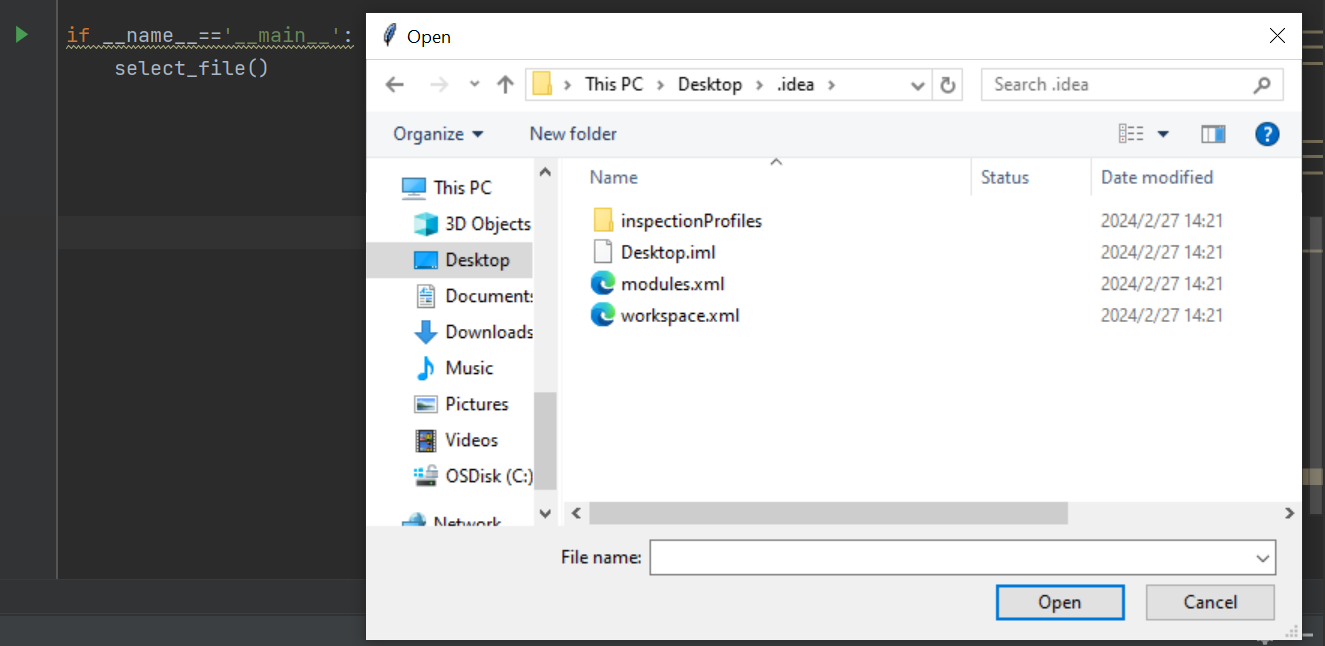
      

      aeefbf95-3d04-432c-a322-a22f1bb7c057-image.png

      posted in Python
      B
      Brad

    Latest posts made by Brad

    • 最简单的tkinter GUI应用场景

      先前自己做一些内部开发程序的封装时,一直采用input的语句让用户输入文件路径:

      file_path = str(input('请输入文件路径:'))
      

      最近研究GUI时发现了一个对用户更友好的操作,可以利用tkinter库来打开一个窗口,直接选择文件,具体代码及实现效果如下(其中,select_file()是选择文件,select_dierectory()是选择文件夹)

      import tkinter as tk
      from tkinter import filedialog
      
      def select_file():
          root =tk.Tk()
          root.withdraw() #隐藏主窗口
          file_path = filedialog.askopenfilename()
      
          return file_path
      
      def select_directory():
          root =tk.Tk()
          root.withdraw() #隐藏主窗口
          dir_path = filedialog.askdirectory()
      
          return dir_path
      
      if __name__=='__main__':
          select_file()
      

      aeefbf95-3d04-432c-a322-a22f1bb7c057-image.png

      posted in Python
      B
      Brad